Title: Compact Archives
Author: Syed Balkhi
Published: 9 Maggu 2008
Last modified: 16 Furar 2026
---
Search plugins

# Compact Archives
By [Syed Balkhi](https://profiles.wordpress.org/smub/)
[Download](https://downloads.wordpress.org/plugin/compact-archives.4.1.1.zip)
* [Details](https://kab.wordpress.org/plugins/compact-archives/#description)
* [Reviews](https://kab.wordpress.org/plugins/compact-archives/#reviews)
* [Installation](https://kab.wordpress.org/plugins/compact-archives/#installation)
* [Development](https://kab.wordpress.org/plugins/compact-archives/#developers)
[Support](https://wordpress.org/support/plugin/compact-archives/)
## Description
The built-in WordPress archives widget is great for new blogs, but it doesn’t look
as good for more established blogs like [WPBeginner](https://www.wpbeginner.com/).
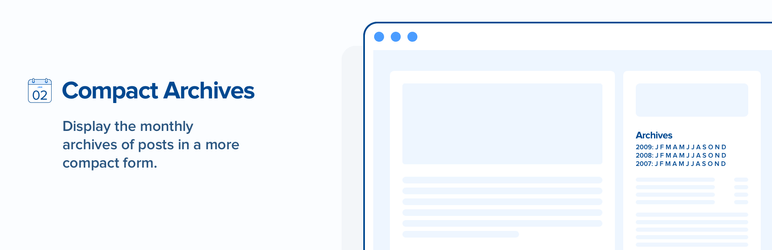
Compact Archives displays the monthly archive of posts in a more compact form rather
than the usual long list. It can be shown as a compact block suitable for the body
of an [archives page](https://www.wpbeginner.com/wp-tutorials/how-to-create-an-archives-page-in-wordpress/):
```
2009: Jan Feb Mar Apr May Jun Jul Aug Sep Oct Nov Dec
2008: Jan Feb Mar Apr May Jun Jul Aug Sep Oct Nov Dec
2007: Jan Feb Mar Apr May Jun Jul Aug Sep Oct Nov Dec
```
or in an even more compact form to fit a sidebar:
```
2009: J F M A M J J A S O N D
2008: J F M A M J J A S O N D
2007: J F M A M J J A S O N D
```
or something in between:
```
2009: 01 02 03 04 05 06 07 08 09 10 11 12
2008: 01 02 03 04 05 06 07 08 09 10 11 12
2007: 01 02 03 04 05 06 07 08 09 10 11 12
```
Compact Archive plugin works seamlessly with [Gutenberg Block Editor](https://www.wpbeginner.com/beginners-guide/how-to-use-the-new-wordpress-block-editor/),
[Classic Editor](https://www.wpbeginner.com/plugins/how-to-disable-gutenberg-and-keep-the-classic-editor-in-wordpress/),
and WordPress widgets.
#### What’s Next
If you like this plugin, then consider checking out our other projects:
* [OptinMonster](https://optinmonster.com/) – Get More Email Subscribers with the
most popular conversion optimization plugin for WordPress.
* [WPForms](https://wpforms.com/) – Best Drag & Drop WordPress Form plugin (over
1 million active installs).
* [MonsterInsights](https://www.monsterinsights.com/) – See the Stats that Matter
and Grow Your Business with Confidence. Best Google Analytics Plugin for WordPress.
* [SeedProd](https://www.seedprod.com/) – Jumpstart your website with the #1 Coming
Soon & Maintenance Mode Plugin for WordPress.
* [WP Mail SMTP](https://wordpress.org/plugins/wp-mail-smtp/) – Improve email deliverability
for your contact form with the most popular SMTP plugin for WordPress.
Visit [WPBeginner](http://www.wpbeginner.com/) to learn from our [WordPress Tutorials](http://www.wpbeginner.com/category/wp-tutorials/)
and find out about other [best WordPress plugins](http://www.wpbeginner.com/category/plugins/).
Like all plugins, Compact Archives is only available for self-hosted WordPress sites.
So YES you need to [switch from WordPress.com to WordPress.org](http://www.wpbeginner.com/wp-tutorials/how-to-properly-move-your-blog-from-wordpress-com-to-wordpress-org/)
in order to use this plugin on your WordPress site. For more details, see the infographic
on [Self hosted WordPress.org vs Free WordPress.com](http://www.wpbeginner.com/beginners-guide/self-hosted-wordpress-org-vs-free-wordpress-com-infograph/)
If you like this plugin, then please leave a good rating. For support just ask the
questions here in the support forum.
#### Credits
This plugin was originally created by [Rob Marsh](https://profiles.wordpress.org/robmarsh/)
and [Aldolat](https://profiles.wordpress.org/aldolat/) added a widget for it. WPBeginner
adopted the plugin and took the responsibility of keeping it updated.
## Screenshots
* [[
* Compact archives displayed in block layout
* [[
* Gutenberg block
## Blocks
This plugin provides 1 block.
* WPBeginner
## Installation
1. Upload the plugin folder to your /wp-content/plugins/ folder.
2. Go to the **Plugins** page and activate the plugin.
3. Put `` at the place in your template
where you want
it to appear, e.g., in your sidebar:
4. ```
```
5. You can also use shortcode `[compact_archive]` in a page or post to display compact
archives. See FAQ for shortcode parameters.
6. There is also a Compact Archives Widget which can be used to display compact archives
in sidebar or any widgetized area.
## FAQ
### How Do I Get the Different Layouts?
The template tag, `compact_archive`, has some parameters:
```
compact_archive($style='initial', $before='', $after='');
```
If $style == ‘initial’ (the default) the display will fit into a sidebar:
```
2009: J F M A M J J A S O N D
2008: J F M A M J J A S O N D
2007: J F M A M J J A S O N D
```
If $style == ‘block’ the display will be wide enough to fill the main column of
a page:
```
2009: Jan Feb Mar Apr May Jun Jul Aug Sep Oct Nov Dec
2008: Jan Feb Mar Apr May Jun Jul Aug Sep Oct Nov Dec
2007: Jan Feb Mar Apr May Jun Jul Aug Sep Oct Nov Dec
```
If $style == ‘numeric’ the display will use month numbers:
```
2009: 01 02 03 04 05 06 07 08 09 10 11 12
2008: 01 02 03 04 05 06 07 08 09 10 11 12
2007: 01 02 03 04 05 06 07 08 09 10 11 12
```
$before and $after wrap each line of output. The default values make
each line
of the archive into a list item:
```
```
### How do I get different layouts using shortcode?
The shortcode `[compact_archive]` works just like the template tag. It accepts the
following parameters:
* `style` – Display format: `initial` (default), `block`, or `numeric`
* `before` – Wrapper tag: `li` (default), `p`, `div`, or `span`. Can be written
with or without angle brackets.
* `classname` – Custom CSS class(es) to add to the container
Examples:
```
[compact_archive style="block"] - Display archives in block format.
[compact_archive style="numeric" before="p"] - Display in numeric form, wrapped in paragraph tags.
[compact_archive before="div" classname="my-archive custom-class"] - Wrap each line in a div with custom CSS classes.
```
### How do I get different layouts using Compact Archive Widget in Sidebar?
Compact Archive comes with a sidebar widget located Appearance -> Widgets. Drag
and drop Compact Archives Widget to your sidebar. The widget has three option fields.
You can provide your widget a title if you want or leave it blank. You can choose
a display layout from Select the Style option. It has three layout choices to choose
from which are initials, block, and numeric. Tansform text option can be left to
No Transformation or you can tansform text style to UPPERCASE or Capitalize.
### Is There Any Scope for CSS Styling?
The year links at the start of each line are wrapped in tags while months with
no posts are wrapped with so you can differentiate them visually using your style
sheet.
You can also use the `classname` attribute in the shortcode to add custom CSS classes:
```
[compact_archive classname="my-custom-archive"]
```
### What if My Site is in Another Language?
The plugin chooses month names and abbreviations according to the language locale,
WPLANG, set in wp-config.php.
Compact Archives also honours whatever kind of permalink pattern you have set.
## Reviews

### [Great! But….](https://wordpress.org/support/topic/great-but-147/)
[dadiocoleman](https://profiles.wordpress.org/dadiocoleman/) 2 Ibrir 2021
Very simple and works, however, the title attribute is stuck on 2001. I’d suggest
the plugin author fix this officially by changing the hardcoded 2001 to $year on
line 97 of inc/compact-archives.php.

### [The best archive plugin](https://wordpress.org/support/topic/the-best-archive-plugin/)
[face0ff](https://profiles.wordpress.org/face0ff/) 11 Meɣres 2021
Works fine. Can be easily adjusted. Love it!

### [Love this Archive Plugin](https://wordpress.org/support/topic/love-this-archive-plugin/)
[Clarence Johnson](https://profiles.wordpress.org/picpu/) 17 Maggu 2020
Does the job.

### [Quick and simple plugin](https://wordpress.org/support/topic/quick-and-simple-plugin-2/)
[digitaleyecandy](https://profiles.wordpress.org/digitaleyecandy/) 23 Yennayer
2020 2 replies
Can be customized to filter on CATEGORY with a few changes.

### [Cool](https://wordpress.org/support/topic/cool-382/)
[marcodimitri1](https://profiles.wordpress.org/marcodimitri1/) 3 Ctember 2016
Very cool plugin. Thank you

### [Very good plugin – a small tweak for localization](https://wordpress.org/support/topic/very-good-plugin-a-small-tweak-for-localization/)
[Deceneus](https://profiles.wordpress.org/deceneus/) 3 Ctember 2016
The plugin works great! If u plan to use the plugin for a different language website
and don’t want to rely on the WPLANG variable (deprecated after WP 4.0) you should
edit the plugin and simply replace the existent localization DIR to something like
this: setlocale(LC_TIME, "ro_RO"); // set localization language where ro_RO is the
code for Romanian, fr_FR for French, etc.
[ Read all 9 reviews ](https://wordpress.org/support/plugin/compact-archives/reviews/)
## Contributors & Developers
“Compact Archives” is open source software. The following people have contributed
to this plugin.
Contributors
* [ Syed Balkhi ](https://profiles.wordpress.org/smub/)
* [ Noumaan Yaqoob ](https://profiles.wordpress.org/noumaan/)
* [ Andrei Surdu ](https://profiles.wordpress.org/_smartik_/)
“Compact Archives” has been translated into 1 locale. Thank you to [the translators](https://translate.wordpress.org/projects/wp-plugins/compact-archives/contributors)
for their contributions.
[Translate “Compact Archives” into your language.](https://translate.wordpress.org/projects/wp-plugins/compact-archives)
### Interested in development?
[Browse the code](https://plugins.trac.wordpress.org/browser/compact-archives/),
check out the [SVN repository](https://plugins.svn.wordpress.org/compact-archives/),
or subscribe to the [development log](https://plugins.trac.wordpress.org/log/compact-archives/)
by [RSS](https://plugins.trac.wordpress.org/log/compact-archives/?limit=100&mode=stop_on_copy&format=rss).
## Changelog
#### 4.1.1
* Improved input validation for shortcode parameters.
* Enhanced output sanitization.
* Added URL escaping for archive links.
* New: Added `classname` attribute to shortcode for custom CSS classes.
* New: Shortcode `before` attribute now accepts tag names without brackets (e.g.,`
before="div"`).
#### 4.1.0
* New: Support the block based Widget editor introduced in WordPress 5.8.
#### 4.0.0
* New: Improve caching of database queries by using the WordPress object cache.
* Enhancement: Use WordPress Core date internationalization.
* Enhancement: Use language files generated by translate.wordpress.org.
* Fix: Styling fixes for block editor archive block.
* Minimum version of WordPress updated to 4.7.
Earlier changelog entries can be found in changelog.md.
## Meta
* Version **4.1.1**
* Last updated **2 n wagguren ago**
* Active installations **2,000+**
* WordPress version ** 4.8 or higher **
* Tested up to **6.9.4**
* PHP version ** 5.6 or higher **
* Languages
* [English (US)](https://wordpress.org/plugins/compact-archives/) akked [Russian](https://ru.wordpress.org/plugins/compact-archives/).
* [Translate into your language](https://translate.wordpress.org/projects/wp-plugins/compact-archives)
* Tags
* [archive](https://kab.wordpress.org/plugins/tags/archive/)[archives](https://kab.wordpress.org/plugins/tags/archives/)
[widget](https://kab.wordpress.org/plugins/tags/widget/)[yearly archive](https://kab.wordpress.org/plugins/tags/yearly-archive/)
* [Advanced View](https://kab.wordpress.org/plugins/compact-archives/advanced/)
## Ratings
5 out of 5 stars.
* [ 9 5-star reviews ](https://wordpress.org/support/plugin/compact-archives/reviews/?filter=5)
* [ 0 4-star reviews ](https://wordpress.org/support/plugin/compact-archives/reviews/?filter=4)
* [ 0 3-star reviews ](https://wordpress.org/support/plugin/compact-archives/reviews/?filter=3)
* [ 0 2-star reviews ](https://wordpress.org/support/plugin/compact-archives/reviews/?filter=2)
* [ 0 1-star reviews ](https://wordpress.org/support/plugin/compact-archives/reviews/?filter=1)
[Your review](https://wordpress.org/support/plugin/compact-archives/reviews/#new-post)
[See all reviews](https://wordpress.org/support/plugin/compact-archives/reviews/)
## Contributors
* [ Syed Balkhi ](https://profiles.wordpress.org/smub/)
* [ Noumaan Yaqoob ](https://profiles.wordpress.org/noumaan/)
* [ Andrei Surdu ](https://profiles.wordpress.org/_smartik_/)
## Support
Got something to say? Need help?
[View support forum](https://wordpress.org/support/plugin/compact-archives/)