Title: Show only lowest prices in variable products for WooCommerce
Author: Fernando Tellado
Published: 19 Meɣres 2017
Last modified: 25 Tuber 2026
---
Search plugins

# Show only lowest prices in variable products for WooCommerce
By [Fernando Tellado](https://profiles.wordpress.org/fernandot/)
[Download](https://downloads.wordpress.org/plugin/show-only-lowest-prices-in-woocommerce-variable-products.2.4.0.zip)
[Live Preview](https://kab.wordpress.org/plugins/show-only-lowest-prices-in-woocommerce-variable-products/?preview=1)
* [Details](https://kab.wordpress.org/plugins/show-only-lowest-prices-in-woocommerce-variable-products/#description)
* [Reviews](https://kab.wordpress.org/plugins/show-only-lowest-prices-in-woocommerce-variable-products/#reviews)
* [Installation](https://kab.wordpress.org/plugins/show-only-lowest-prices-in-woocommerce-variable-products/#installation)
* [Development](https://kab.wordpress.org/plugins/show-only-lowest-prices-in-woocommerce-variable-products/#developers)
[Support](https://wordpress.org/support/plugin/show-only-lowest-prices-in-woocommerce-variable-products/)
## Description
Transform your store’s pricing display and boost conversions by showing only what
matters most to your customers: the lowest available price.
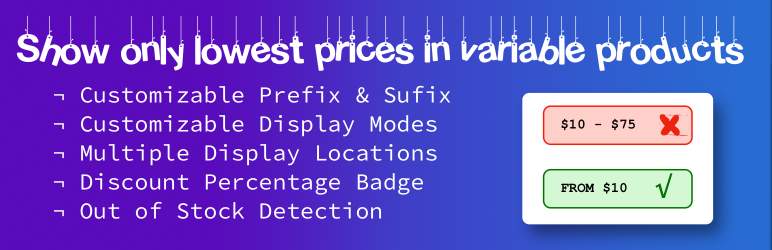
Instead of showing confusing price ranges like « $10 – $50 » that can overwhelm
and confuse customers, this plugin displays clean, simple pricing that encourages
purchases. You decide the price prefix (« From », « Starting at », or whatever you
want), the suffix after the price, and whether the price shown is the lowest, the
highest or both.
**Key Features:**
* **Pick what to show** – Lowest price (« From $40 »), highest
price (« Up to $60 »), both with text (« From $40 up to $60 ») or both with a separator(«
$40 – $60 ») * **Your own price prefix** – Replace « From » with any text you want,
with a separate prefix for the highest price so each one translates on its own ***
Your own price suffix** – Text after the amount, for units or recurrences like «/
month » or « per person » * **Sales stay visible** – The regular price is kept crossed
out next to the sale price, so discounts are not lost in shop and archive pages ***
Discount badge** – Optionally show the discount percentage next to the price * **
EU Omnibus friendly** – With Scheduled Sales, Discounts and Omnibus Price History
for WooCommerce, the discount badge is calculated on the prior price of the last
30 days, and by default the crossed out price is that prior price * **Out of stock
aware** – Leave sold out variations out of the calculation, so the price you advertise
is one your customers can actually buy * **Where it applies** – Everywhere, shop
and archives only, or product pages only * **Smart prefix** – Hide it automatically
when every variation costs the same * **Live preview** – See exactly how your price
will read while you set it up, without saving or leaving the settings page * **Yours
to style and extend** – Custom CSS class for the price, plus a filter to add your
own information next to it * **No performance impact** – Lightweight and efficient,
reusing the price data WooCommerce already caches * **Translation ready** and fully
compatible with WooCommerce and WordPress, HPOS included
**Perfect for:**
* Stores with complex variable products * Fashion and clothing
retailers * Electronics stores with multiple variants * Any shop wanting cleaner
price displays
The plugin automatically detects your WooCommerce installation and starts working
immediately. Access the settings through Marketing > Lowest Prices in your admin
dashboard.
### Support
Need private support or custom development?
Do you need one-on-one help, priority troubleshooting, or a custom feature, integration,
or tweak built specifically for your site? I offer private support and custom development.
Just [contact me](https://kab.wordpress.org/plugins/show-only-lowest-prices-in-woocommerce-variable-products/show-only-lowest-prices-in-woocommerce-variable-products@ayudawp.com?output_format=md)
and tell me what you need.
Need help or have suggestions?
* [Official website](https://servicios.ayudawp.com)
* [WordPress support forum](https://wordpress.org/support/plugin/show-only-lowest-prices-in-woocommerce-variable-products/)
* [YouTube channel](https://www.youtube.com/AyudaWordPressES)
* [Documentation and tutorials](https://ayudawp.com)
Love the plugin? Please leave us a [5-star review](https://wordpress.org/support/plugin/show-only-lowest-prices-in-woocommerce-variable-products/reviews/#new-post)
and help spread the word!
### About AyudaWP.com
We are specialists in WordPress security, SEO, AI and performance optimization plugins.
We create tools that solve real problems for WordPress site owners while maintaining
the highest coding standards and accessibility requirements.
## Screenshots
[⌊WooCommerce variable product before plugin activation showing confusing price
range⌉⌊WooCommerce variable product before plugin activation showing confusing price
range⌉[
WooCommerce variable product before plugin activation showing confusing price range
[⌊Clean, simple pricing after plugin activation⌉⌊Clean, simple pricing after plugin
activation⌉[
Clean, simple pricing after plugin activation
[⌊Settings page with customization options integrated into WooCommerce's Marketing
admin menu⌉⌊Settings page with customization options integrated into WooCommerce's
Marketing admin menu⌉[
Settings page with customization options integrated into WooCommerce’s Marketing
admin menu
## Installation
1. Go to your WordPress Dashboard > Plugins > Add New
2. Search for ‘Show only lowest prices in variable products’
3. Install and activate the plugin
4. Go to Marketing > Lowest Prices to customize settings
5. That’s it! Your variable product prices are now clean and conversion-focused
**Manual installation:** 1. Download the plugin from the WordPress repository 2.
Upload the plugin folder to `/wp-content/plugins/` 3. Activate the plugin through
the ‘Plugins’ menu in WordPress 4. Configure settings in Marketing > Lowest Prices
## FAQ
### Does this plugin work with all WooCommerce themes?
Yes! The plugin uses WooCommerce’s standard price hooks, so it works with any properly
coded WooCommerce theme.
### Can I customize the « From » text?
Absolutely! Go to Marketing > Lowest Prices in your admin dashboard to customize
the prefix text, spacing, and display options.
### How do I add a price prefix or a price suffix?
Both are plain text fields in Marketing > Lowest Prices. The prefix goes before
the amount (« From $40 », « Starting at $40 ») and the suffix goes after it (« $
40 / month », « $40 per person »). There is a third field for the prefix of the
highest price, used in the « Up to $60 » and « From $40 up to $60 » modes, so each
text translates on its own. Leave any of them empty to show nothing.
There is also a checkbox to add a space between the prefix and the price, on by
default. It exists because a text field cannot store a trailing space, so writing«
From » would be saved as « From ». Turn it off for symbol prefixes like « ~ » or
for languages that do not separate words with spaces.
One caveat about the suffix: if what you want is a tax notice like « VAT included»,
use the WooCommerce price suffix in WooCommerce > Settings > Tax instead. It already
does that, with its own tax placeholders, and using both would show two suffixes
in a row.
### What happens if all variations have the same price?
By default, the plugin won’t show the « From » prefix when all variations have the
same price. You can change this behavior in the settings.
### What if I don’t want any prefix text?
Simply clear the prefix text field and save. No prefix will be displayed before
the price.
### Does this affect product pages only or shop pages too?
By default it works on both shop pages and individual product pages – anywhere WooCommerce
displays variable product prices. In Marketing > Lowest Prices you can restrict
it to shop and archives only, or to product pages only. Related products and upsells
shown inside a product page count as listings.
### What happens with products on sale?
The regular price is kept crossed out next to the lowest price, the same way WooCommerce
does it, so your customers can see there is a discount. You can turn this off in
the settings if you would rather show the sale price on its own.
### Can I show « Up to » instead of « From »?
Yes. In Marketing > Lowest Prices you can choose to show the highest price instead
of the lowest, both prices with your own text (« From $40 up to $60 »), or both
with a separator (« $40 – $60 »). Each text has its own field, so they translate
independently.
### Is this plugin translation ready?
Yes! The plugin follows WordPress internationalization standards and translations
are loaded automatically from WordPress.org.
### Does it work with WooCommerce HPOS?
Yes! The plugin includes full compatibility with WooCommerce High-Performance Order
Storage.
### Does this plugin implement the EU Omnibus Directive (lowest price in the last 30 days)?
Not on its own. It only changes how variable product prices are displayed: it does
not track price history or show the prior price (the lowest price applied in the
30 days before a price reduction) required by Directive (EU) 2019/2161.
For that, use [Scheduled Sales, Discounts and Omnibus Price History for WooCommerce](https://wordpress.org/plugins/multiple-sale-prices-scheduler/),
from the same author. It records the price history and shows the prior price, and
both plugins work together:
* The discount percentage badge is calculated on the prior price, as the EU Court
of Justice requires (case C-330/23). If the sale price is not lower than the
prior price, no badge is shown.
* By default it crosses out the prior price instead of the regular one, and so
does the price shown by this plugin. If the sale price is not lower than the
prior price, nothing is crossed out.
* Its prior price note appears right after the price, once, for the variation shown.
Omnibus – show the lowest price, WC Price History and FleekCode – Omnibus Price
Tracker also work alongside this plugin. The settings page tells you when one of
these plugins is active.
To place the price history message exactly where you want it, use the `ayudawp_lowest_price_html`
filter:
```
add_filter( 'ayudawp_lowest_price_html', function ( $html, $product ) {
return $html . '' . my_prior_price( $product ) . '';
}, 10, 2 );
```
### Can I add my own information next to the price?
Yes, with the `ayudawp_lowest_price_html` filter. It receives the final price HTML,
the product object and the plugin options.
## Reviews

### [Sharp plugin!](https://wordpress.org/support/topic/sharp-plugin/)
[Alvaro Torres](https://profiles.wordpress.org/algato333/) 16 Yennayer 2026
Amazing functionality

### [Great for online stores](https://wordpress.org/support/topic/great-for-online-stores/)
[Héctor Tellado](https://profiles.wordpress.org/hectortellado/) 12 Yennayer 2026
great feature really needed

### [span class ‘woofrom’ sadly removed](https://wordpress.org/support/topic/span-class-woofrom-sadly-removed/)
[lgr88](https://profiles.wordpress.org/lgr88/) 19 Meɣres 2024 2 replies
From version 1.0 the previously added span class ‘woofrom’ (in order to allow te
possibility to hide the «From:» text) doesn't work. Since it is a great feature,
I cannot update the plugin version (so, my site stille have the 0.9.31 version,
while my woocommerce is updated at the newest 7.5.1 version) in order to the mantain
the feature. If you solve this, I will return to change my review, since the plugin
is actually useful, but now… is unfortunately useless for my purposes. march 2024
edit: the malfunction is still on… Dear Mr. Tellado, could you solve this problem?
It would be a huge help, I still have an old version (0.9.31) and would like to
be able to update the plugin without a hitch. Thanks a lot

### [simple e eficaz](https://wordpress.org/support/topic/simple-e-eficaz/)
[etchenet](https://profiles.wordpress.org/etchenet/) 30 Ctember 2022 1 reply
simple e eficaz

### [Simple and effective](https://wordpress.org/support/topic/simple-and-effective-1321/)
[mjfn689](https://profiles.wordpress.org/mjfn689/) 16 Ctember 2021
Really simple, really effective. Thank you so much.

### [Great plugin](https://wordpress.org/support/topic/great-plugin-30627/)
[gustravel](https://profiles.wordpress.org/gustravel/) 22 Ibrir 2021
What a great plugin. simple and exactly what i needed. please keep updating! Thanks
Fernando.
[ Read all 27 reviews ](https://wordpress.org/support/plugin/show-only-lowest-prices-in-woocommerce-variable-products/reviews/)
## Contributors & Developers
“Show only lowest prices in variable products for WooCommerce” is open source software.
The following people have contributed to this plugin.
Contributors
* [ Fernando Tellado ](https://profiles.wordpress.org/fernandot/)
* [ Ayuda WordPress ](https://profiles.wordpress.org/ayudawp/)
“Show only lowest prices in variable products for WooCommerce” has been translated
into 24 locales. Thank you to [the translators](https://translate.wordpress.org/projects/wp-plugins/show-only-lowest-prices-in-woocommerce-variable-products/contributors)
for their contributions.
[Translate “Show only lowest prices in variable products for WooCommerce” into your language.](https://translate.wordpress.org/projects/wp-plugins/show-only-lowest-prices-in-woocommerce-variable-products)
### Interested in development?
[Browse the code](https://plugins.trac.wordpress.org/browser/show-only-lowest-prices-in-woocommerce-variable-products/),
check out the [SVN repository](https://plugins.svn.wordpress.org/show-only-lowest-prices-in-woocommerce-variable-products/),
or subscribe to the [development log](https://plugins.trac.wordpress.org/log/show-only-lowest-prices-in-woocommerce-variable-products/)
by [RSS](https://plugins.trac.wordpress.org/log/show-only-lowest-prices-in-woocommerce-variable-products/?limit=100&mode=stop_on_copy&format=rss).
## Changelog
#### 2.4.0
Works with Scheduled Sales, Discounts and Omnibus Price History for WooCommerce
for the EU Omnibus prior price: with it active, the discount badge is calculated
on the lowest price of the last 30 days, and by default the crossed out price is
that prior price.
* New: Works with Scheduled Sales, Discounts and Omnibus Price History for WooCommerce,
from the same author, for the prior price of the EU Omnibus Directive. With it
active, the discount percentage badge is calculated on the prior price (the lowest
price of the 30 days before the sale) instead of the regular price, and no badge
is shown when the sale price is not lower than the prior price
* New: The prior price note of Scheduled Sales, Discounts and Omnibus Price History
for WooCommerce goes right after the price, only once, and describes the variation
shown, also in the « Up to » mode
* New: When Scheduled Sales, Discounts and Omnibus Price History for WooCommerce
crosses out the prior price, which it does by default, the price crosses out
the prior price instead of the regular one, or nothing when the sale price is
not lower than it
* Improved: The settings page detects Scheduled Sales, Discounts and Omnibus Price
History for WooCommerce, and the FAQ about the Omnibus Directive recommends it
first
* Improved: Tested up to WooCommerce 11.2
For older changelog entries, please check the [changelog.txt](https://plugins.svn.wordpress.org/show-only-lowest-prices-in-woocommerce-variable-products/trunk/changelog.txt)
file
## Meta
* Version **2.4.0**
* Last updated **3 n imalasen ago**
* Active installations **6,000+**
* WordPress version ** 5.0 or higher **
* Tested up to **7.1.4**
* PHP version ** 7.4 or higher **
* Languages
* [Basque](https://eu.wordpress.org/plugins/show-only-lowest-prices-in-woocommerce-variable-products/),
[Catalan](https://ca.wordpress.org/plugins/show-only-lowest-prices-in-woocommerce-variable-products/),
[Czech](https://cs.wordpress.org/plugins/show-only-lowest-prices-in-woocommerce-variable-products/),
[Dutch](https://nl.wordpress.org/plugins/show-only-lowest-prices-in-woocommerce-variable-products/),
[Dutch (Belgium)](https://nl-be.wordpress.org/plugins/show-only-lowest-prices-in-woocommerce-variable-products/),
[English (Australia)](https://en-au.wordpress.org/plugins/show-only-lowest-prices-in-woocommerce-variable-products/),
[English (Canada)](https://en-ca.wordpress.org/plugins/show-only-lowest-prices-in-woocommerce-variable-products/),
[English (New Zealand)](https://en-nz.wordpress.org/plugins/show-only-lowest-prices-in-woocommerce-variable-products/),
[English (UK)](https://en-gb.wordpress.org/plugins/show-only-lowest-prices-in-woocommerce-variable-products/),
[English (US)](https://wordpress.org/plugins/show-only-lowest-prices-in-woocommerce-variable-products/),
[French (Canada)](https://fr-ca.wordpress.org/plugins/show-only-lowest-prices-in-woocommerce-variable-products/),
[Galician](https://gl.wordpress.org/plugins/show-only-lowest-prices-in-woocommerce-variable-products/),
[German](https://de.wordpress.org/plugins/show-only-lowest-prices-in-woocommerce-variable-products/),
[Italian](https://it.wordpress.org/plugins/show-only-lowest-prices-in-woocommerce-variable-products/),
[Portuguese (Brazil)](https://br.wordpress.org/plugins/show-only-lowest-prices-in-woocommerce-variable-products/),
[Portuguese (Portugal)](https://pt.wordpress.org/plugins/show-only-lowest-prices-in-woocommerce-variable-products/),
[Romanian](https://ro.wordpress.org/plugins/show-only-lowest-prices-in-woocommerce-variable-products/),
[Russian](https://ru.wordpress.org/plugins/show-only-lowest-prices-in-woocommerce-variable-products/),
[Spanish (Chile)](https://cl.wordpress.org/plugins/show-only-lowest-prices-in-woocommerce-variable-products/),
[Spanish (Colombia)](https://es-co.wordpress.org/plugins/show-only-lowest-prices-in-woocommerce-variable-products/),
[Spanish (Ecuador)](https://es-ec.wordpress.org/plugins/show-only-lowest-prices-in-woocommerce-variable-products/),
[Spanish (Mexico)](https://es-mx.wordpress.org/plugins/show-only-lowest-prices-in-woocommerce-variable-products/),
[Spanish (Spain)](https://es.wordpress.org/plugins/show-only-lowest-prices-in-woocommerce-variable-products/),
[Spanish (Venezuela)](https://ve.wordpress.org/plugins/show-only-lowest-prices-in-woocommerce-variable-products/),
akked [Swedish](https://sv.wordpress.org/plugins/show-only-lowest-prices-in-woocommerce-variable-products/).
* [Translate into your language](https://translate.wordpress.org/projects/wp-plugins/show-only-lowest-prices-in-woocommerce-variable-products)
* Tags
* [lowest price](https://kab.wordpress.org/plugins/tags/lowest-price/)[price](https://kab.wordpress.org/plugins/tags/price/)
[Variable Products](https://kab.wordpress.org/plugins/tags/variable-products/)
[variations](https://kab.wordpress.org/plugins/tags/variations/)[woocommerce](https://kab.wordpress.org/plugins/tags/woocommerce/)
* [Advanced View](https://kab.wordpress.org/plugins/show-only-lowest-prices-in-woocommerce-variable-products/advanced/)
## Ratings
4.8 out of 5 stars.
* [ 26 5-star reviews ](https://wordpress.org/support/plugin/show-only-lowest-prices-in-woocommerce-variable-products/reviews/?filter=5)
* [ 1 4-star review ](https://wordpress.org/support/plugin/show-only-lowest-prices-in-woocommerce-variable-products/reviews/?filter=4)
* [ 0 3-star reviews ](https://wordpress.org/support/plugin/show-only-lowest-prices-in-woocommerce-variable-products/reviews/?filter=3)
* [ 0 2-star reviews ](https://wordpress.org/support/plugin/show-only-lowest-prices-in-woocommerce-variable-products/reviews/?filter=2)
* [ 1 1-star review ](https://wordpress.org/support/plugin/show-only-lowest-prices-in-woocommerce-variable-products/reviews/?filter=1)
[Your review](https://wordpress.org/support/plugin/show-only-lowest-prices-in-woocommerce-variable-products/reviews/#new-post)
[See all reviews](https://wordpress.org/support/plugin/show-only-lowest-prices-in-woocommerce-variable-products/reviews/)
## Contributors
* [ Fernando Tellado ](https://profiles.wordpress.org/fernandot/)
* [ Ayuda WordPress ](https://profiles.wordpress.org/ayudawp/)
## Support
Got something to say? Need help?
[View support forum](https://wordpress.org/support/plugin/show-only-lowest-prices-in-woocommerce-variable-products/)