

Description
Hreflang Customizer is a free plugin that generates hreflang tags for your WordPress pages automatically. It works on any site — no multilingual plugin is required.
Hreflang tags tell search engines which language and region each page targets. This prevents duplicate-content issues across multilingual or multi-regional sites and helps the right version of your page rank in the right country.
Key Features
- ✅ Works without any translation plugin — standalone mode out of the box
- ✅ Also integrates with Weglot for translated URL mapping
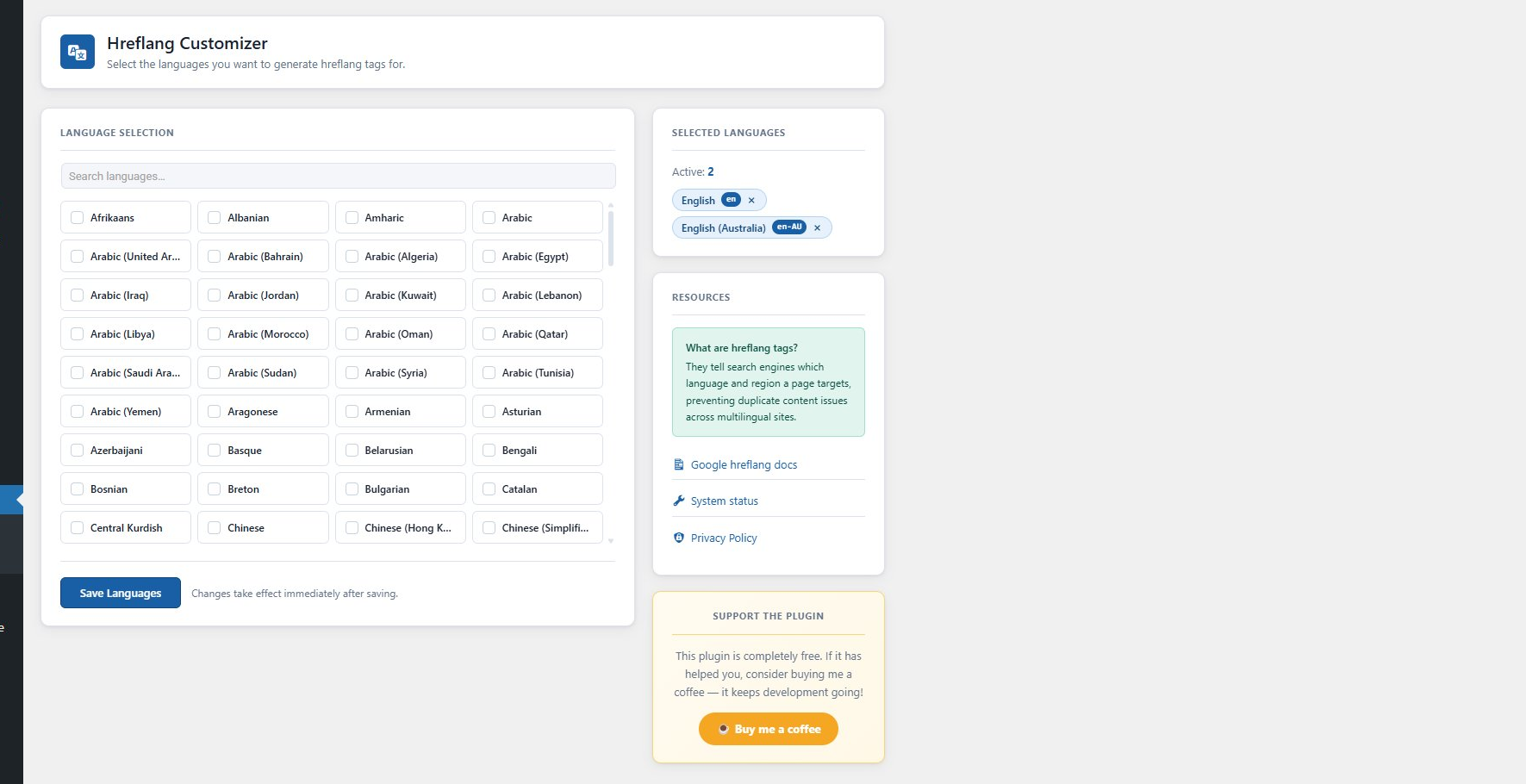
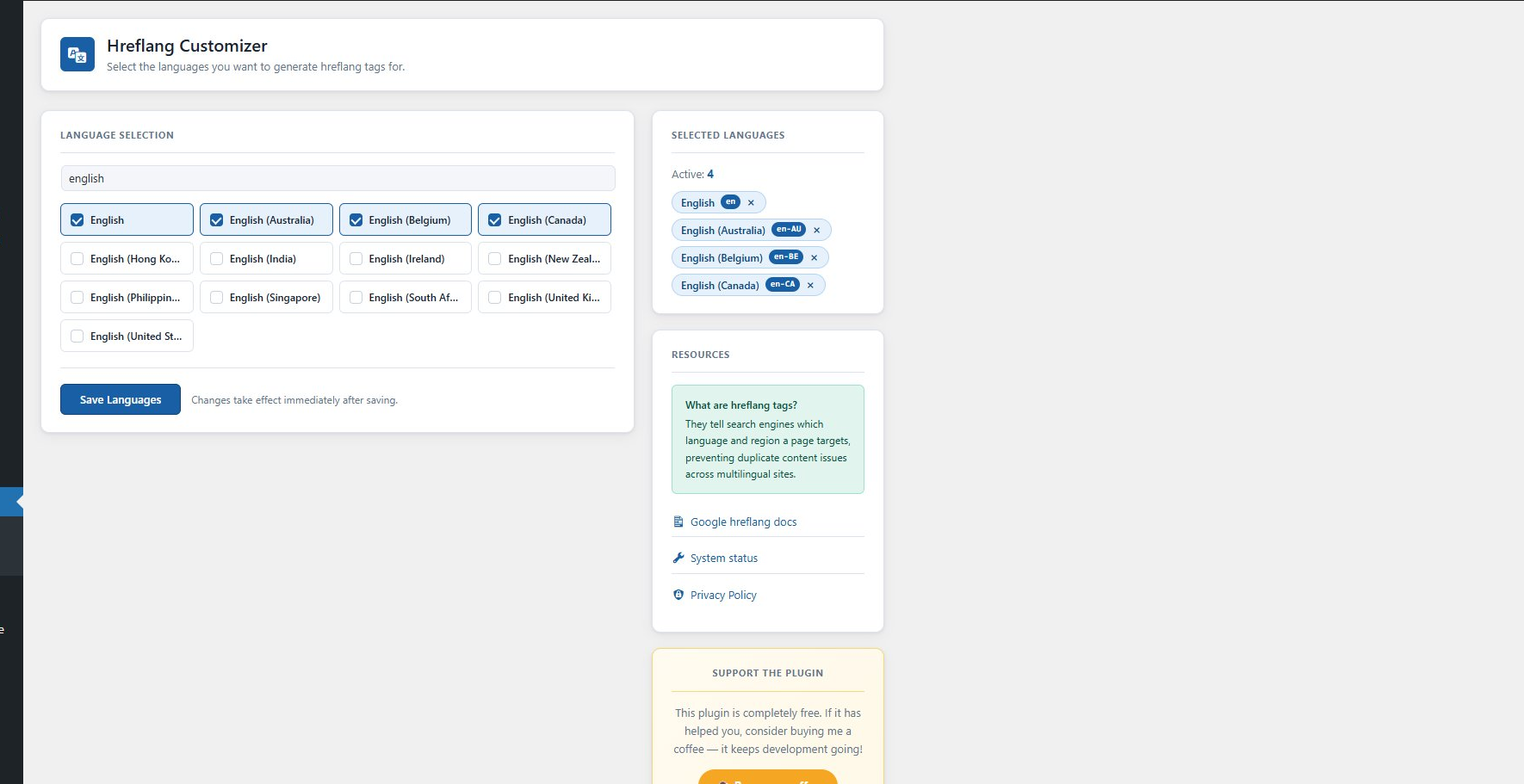
- ✅ Searchable language picker with 180+ languages and regional variants
- ✅ Selected languages shown as removable tag chips with language codes
- ✅ Language list cached via WordPress Transients API (no repeated API calls)
- ✅ NEW: Per-page hreflang control — override languages, map custom URLs, or disable tags on any page or post
- ✅ NEW: Site-wide Hreflang Audit — detect invalid locales, duplicates, missing x-default and self-reference issues
- ✅ NEW: XML sitemap support — dedicated /hreflang-sitemap.xml plus Yoast SEO sitemap integration
- ✅ Clean, modern admin UI — fully responsive
- ✅ No upsells, no premium tier — 100% free
How It Works
Standalone mode: Select your target language codes in the settings page. The plugin outputs one <link rel="alternate" hreflang="..."> tag per selected code in the <head> of every page, pointing to the canonical URL of that page.
Weglot mode: If Weglot is installed and active, the plugin maps Weglot’s translated URLs to your selected hreflang codes automatically.
Per-Page Hreflang Control (v1.2.0)
Every page, post and public custom post type gets a Hreflang Settings meta box in the editor where you can:
- Disable hreflang tags entirely on that page (useful for login, policy or thank-you pages)
- Limit output to a subset of your global languages — perfect when a post only exists in some languages
- Map each language to a custom URL — ideal for ccTLD or subdomain setups (e.g. example.de, fr.example.com)
- Set a custom x-default URL for that specific page
Hreflang Audit Tool (v1.2.0)
Go to Hreflang > Audit and click Run Audit. The plugin checks every public URL for:
- Invalid locale codes (wrong format, underscores instead of hyphens)
- Missing self-referencing tags
- Missing x-default fallback
- Duplicate locale declarations
- Relative (non-absolute) URLs
- Mixed http/https protocols
Results are shown with pass/warning/error badges and can be exported to CSV for client reports.
XML Sitemap Support (v1.2.0)
- A dedicated sitemap at
/hreflang-sitemap.xmllists every URL with itsxhtml:linkhreflang annotations — the method Google recommends for large sites - Automatic Yoast SEO integration: hreflang alternates are appended to every Yoast sitemap entry
- The sitemap is announced in your robots.txt automatically
Example Output
<link rel="alternate" href="https://yoursite.com/about/" hreflang="en-AU" />
<link rel="alternate" href="https://yoursite.com/about/" hreflang="en-GB" />
<link rel="alternate" href="https://yoursite.com/" hreflang="x-default" />
Third-Party Service
This plugin optionally fetches an extended language list from https://app.seo-hreflang.com/api/languages to supplement its built-in language database. The request is made at most once every 12 hours. No personal data, user data, or site content is transmitted — the request contains no body payload. The result is cached locally using the WordPress Transients API.
If the external service is unavailable, the plugin automatically falls back to its built-in list of 180+ languages and continues to work normally.
- Service URL: https://app.seo-hreflang.com/
- Privacy Policy: https://seo-hreflang.com/privacy-policy/
Screenshots
Installation
- In your WordPress dashboard, go to Plugins > Add New
- Search for Hreflang Customizer
- Click Install Now, then Activate
- Go to Hreflang > Settings and select your target languages
- Click Save Languages — hreflang tags will appear in your site’s
<head>immediately
Alternatively, download the zip and upload via Plugins > Add New > Upload Plugin.
FAQ
-
Do I need a translation plugin?
-
No. The plugin works standalone. It outputs hreflang tags pointing to your current page URLs. If you also use Weglot, it will automatically map Weglot’s translated URLs instead.
-
Which translation plugins are supported?
-
Currently Weglot is fully supported in addition to standalone mode. Support for WPML, TranslatePress and Polylang is planned for a future release.
-
What is x-default?
-
x-default is a special hreflang value that tells Google which page to show when no other language matches the user’s browser language. When selected, it points to your site’s home URL.
-
Does the plugin make external requests?
-
Yes, optionally. It requests a language list from https://app.seo-hreflang.com/api/languages and caches the result for 12 hours. If the server is unreachable, the built-in language list is used. No user or site data is sent.
-
Can I control hreflang on individual pages?
-
Yes! Since v1.2.0 every page and post has a « Hreflang Settings » meta box where you can disable tags, select a subset of languages, map custom URLs per language, or set a custom x-default.
-
How do I check if my hreflang setup is correct?
-
Go to Hreflang > Audit and click « Run Audit ». The plugin validates all your public URLs against 7 common hreflang mistakes and lets you export the results as CSV.
-
Does the plugin support XML sitemaps?
-
Yes. A dedicated hreflang sitemap is available at /hreflang-sitemap.xml, and if you use Yoast SEO, hreflang annotations are added to Yoast’s sitemaps automatically.
-
What are the minimum requirements?
-
WordPress 5.8 or higher and PHP 5.6.20 or higher.
Reviews


Contributors & Developers
“Hreflang Customizer” is open source software. The following people have contributed to this plugin.
Contributors
Translate “Hreflang Customizer” into your language.
Interested in development?
Browse the code, check out the SVN repository, or subscribe to the development log by RSS.
Changelog
1.2.1
- Maintenance release — re-packaged 1.2.0 to resolve a corrupted distribution zip on WordPress.org. No functional changes.
1.2.0
- New: Per-page hreflang override meta box — disable tags, select a language subset, map custom URLs per language, and set a custom x-default on any page, post or public custom post type
- New: Hreflang Audit tool (Hreflang > Audit) — validates all public URLs against 7 rules: invalid locales, underscore locales, missing self-reference, missing x-default, duplicates, relative URLs, and mixed protocols
- New: CSV export of audit results
- New: Dedicated XML sitemap at /hreflang-sitemap.xml with xhtml:link hreflang annotations
- New: Yoast SEO sitemap integration — hreflang alternates added to every Yoast sitemap entry
- New: Sitemap announced in robots.txt automatically
- Improvement: Front-end tag output now fully respects per-page overrides in both standalone and Weglot modes
1.1.0
- Plugin is now fully free — no premium tier
- Added standalone mode: hreflang tags work without any translation plugin
- Added Weglot integration for translated URL mapping
- Completely redesigned admin UI with searchable language grid
- Language codes now shown as badge chips on selected tags
- Built-in static language fallback (180+ languages) when API is unavailable
- Added « Buy me a coffee » donate link
- Fixed: CSS/JS now loads reliably on all server configurations
- Fixed: all WordPress.org security requirements (sanitize, escape, validate)
- Removed: premium/pro version references
- Removed: Select2 dependency
1.0.0
- Initial release.