

Description
Send new WooCommerce orders directly to your WhatsApp (extendable to other apps). Uses the CallMeBot API 100% FREE – no subscriptions or extra costs.
Features:
– Automatic notification to the setup WhatsApp number
– Choose exactly which order statuses trigger the notification
– Direct Order link included
– Multilanguage Ready – English + Spanish included
– Compatible with HPOS
– No CallMeBot links or branding in messages
– Settings inside WooCommerce Messaging Notifications
How to get your free API key in 30 seconds:
1. Open https://www.callmebot.com/blog/free-api-whatsapp-messages/ on your phone
2. Add the bot to contacts
3. Send the message « I allow callmebot to send me messages »
4. You will instantly receive your personal API key
External services
This plugin uses the CallMeBot API to send WhatsApp messages with new order notifications.
The CallMeBot API is a free service that allows sending messages to WhatsApp without any subscription or cost.
Data sent:
– Your configured phone number (with country code)
– The notification message text (includes order number, total, status, customer name, phone, email, products list, order date, and admin link)
– Your personal API key (obtained by the user from CallMeBot)
This data is sent only when a new WooCommerce order reaches one of the selected statuses (pending, processing, or on-hold by default).
CallMeBot does not store messages or personal data. More information and how to get your free API key: https://www.callmebot.com/blog/free-api-whatsapp-messages
Información en Español
¡La forma más sencilla y 100% GRATUITA de recibir tus pedidos de WooCommerce en tu WhatsApp personal!
– Notifica al numero de WhatsApp configurado
– Elige en qué estados del pedido quieres recibir aviso
– Mensajes limpios (sin publicidad de CallMeBot)
– CallMeBot API 100% Gratuita
Screenshots
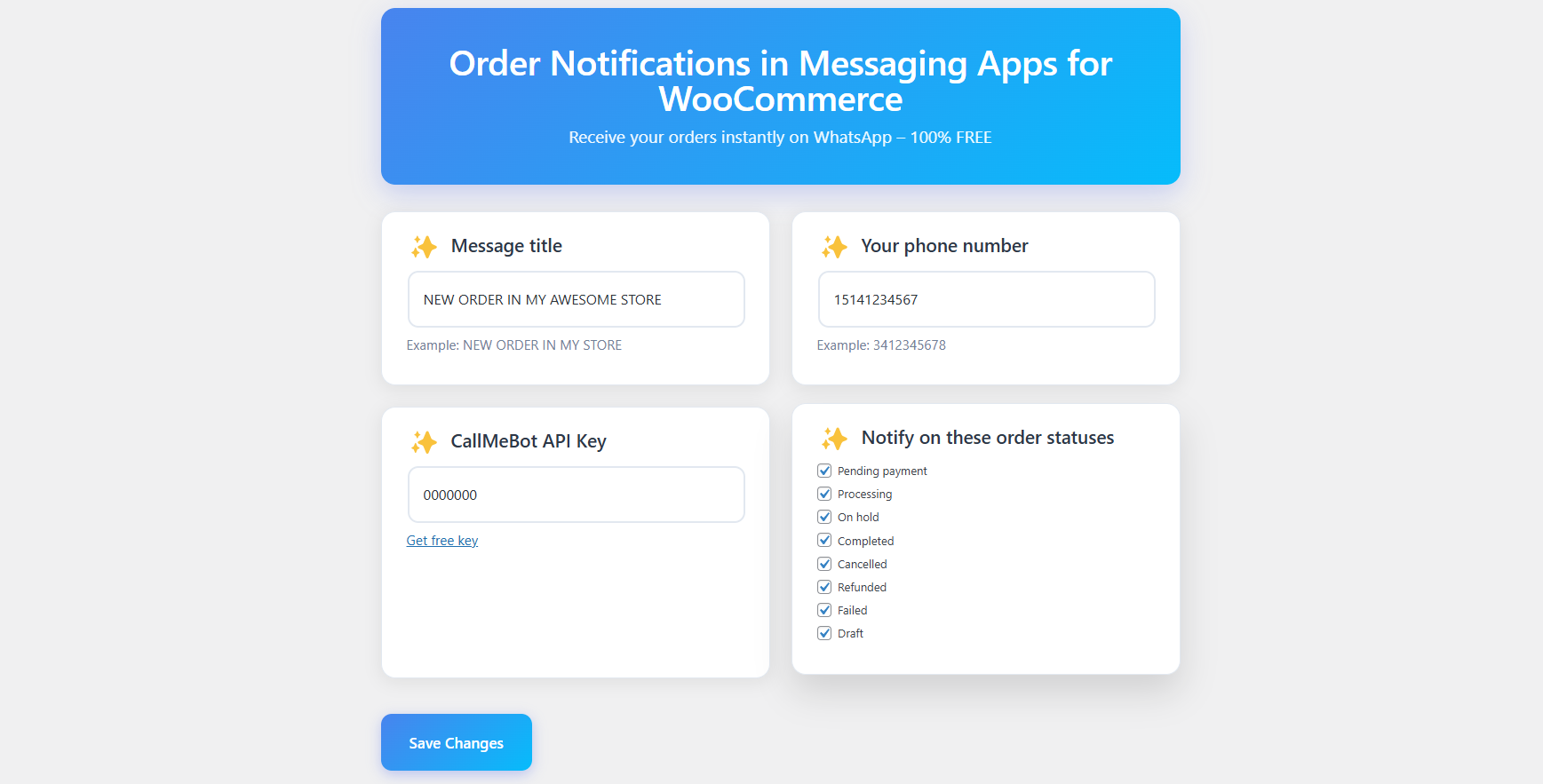
Simple settings panel 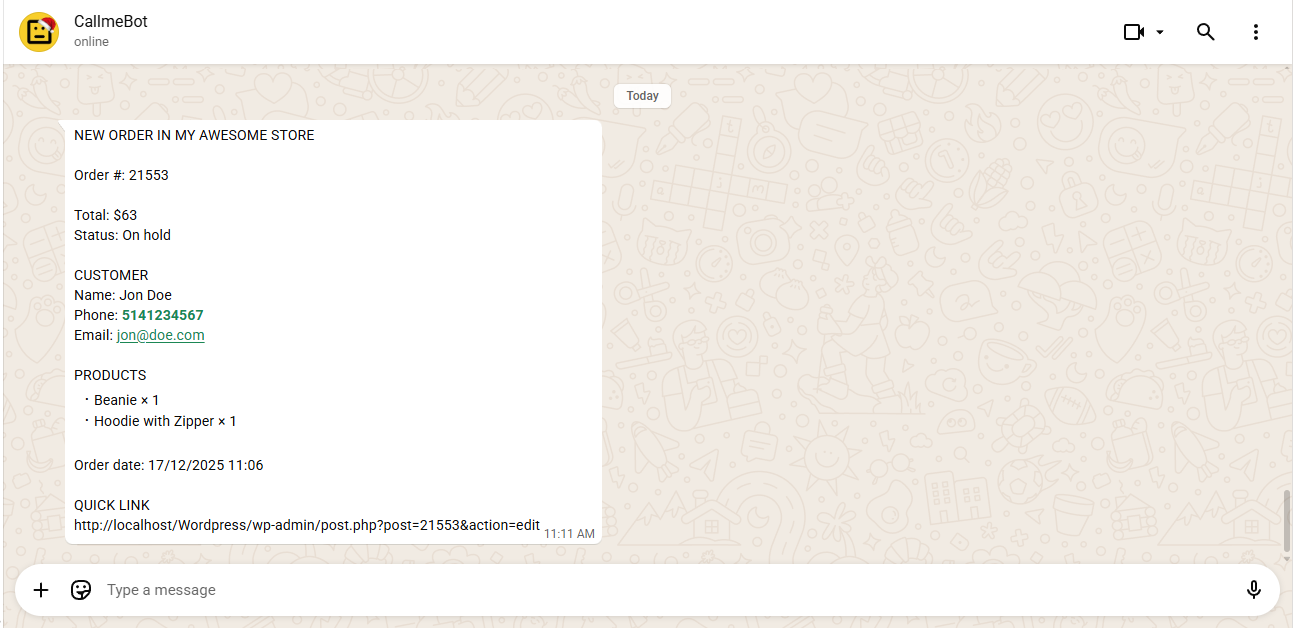
Notification received by store owner
Installation
- Upload the folder to
/wp-content/plugins/ - Activate the plugin
- Go to WooCommerce Messaging Notifications
- Enter your phone number (with country code, no +) and your CallMeBot API key
- Done!
Reviews
There are no reviews for this plugin.
Contributors & Developers
“Order Notifications in Messaging Apps for WooCommerce” is open source software. The following people have contributed to this plugin.
Contributors
Translate “Order Notifications in Messaging Apps for WooCommerce” into your language.
Interested in development?
Browse the code, check out the SVN repository, or subscribe to the development log by RSS.
Changelog
1.0.0
- Initial release